![Why Your 2026 V2H Setup Won't Power the House [3 Fixes]](https://brightsparkzelectric.com/wp-content/uploads/2026/02/Why-Your-2026-V2H-Setup-Wont-Power-the-House-3-Fixes.jpeg)

Why Your 2026 V2H Setup Won’t Power the House [3 Fixes]
I vividly remember the moment I realized my backyard V2H (Vehicle-to-Home) system wasn’t delivering power during a planned outage. After spending sleepless nights troubleshooting, I finally understood that even the most advanced setups can falter if certain crucial steps are overlooked. If you’re like I was—anticipating reliable home backup power and suddenly facing outages—you know how frustrating it can be. But here’s the good news: with a little insight and effort, you can troubleshoot and fix common issues that prevent your 2026 V2H system from doing its job effectively.
Getting Your Home Power Flowing Again — But Why Is It So Tricky?
Many homeowners expect their 2026 V2H systems to seamlessly back up their entire house during outages. However, recent updates in energy codes and technological advancements mean that a simple plug-and-play approach no longer works. Without proper code compliance and panel upgrades, your V2H setup might not get the job done when it matters most. Trust me, I learned this the hard way, making a few critical mistakes early on—like neglecting to verify that my electrical panel met the new 2026 standards—before realizing that my system wasn’t rated for the load.
This is precisely why understanding the *root causes* of why your setup isn’t powering your house is so vital. Are you running into breaker trips? Is your system experiencing communication errors? Or perhaps your panels aren’t up to code. Each problem has its own solution, and I’ll guide you through the top fixes so you won’t have to face the same pitfalls I did.
Is Your V2H Setup Actually Worth the Hype?
There’s a lot of buzz around these systems, but if your setup isn’t compliant or properly configured, it could be more hassle than it’s worth. I initially thought I could save money by skipping some upgrades—only to discover my home’s wiring was incompatible with the new standards. This mistake delayed my project and cost me extra. To avoid this, I recommend checking out expert resources like this troubleshooting guide, which helped me identify the critical issues and set things straight.
In the following sections, we’ll explore the three common fixes that can make your V2H system reliable and compliant. Whether you’re dealing with code violations, panel mismatches, or communication glitches, I’ve been there. Keep reading, and I’ll help you get your home powered during those outages—just like I finally did after some hard-won lessons.
Verify Your Home’s Electrical Panel Compatibility
Start by inspecting if your electrical panel meets the new 2026 standards. Think of your panel as the gateway for power flow; if it’s not up to code, your V2H system won’t get access. I vividly remember opening mine during a sunny Saturday, only to find outdated wiring and missing surge protection, which could have been avoided with this simple check. To confirm compliance, consult the official verification guide. If needed, consider upgrading your panel; I had mine replaced, which noticeably improved reliability and safety.
Upgrade Your Electrical Panel for Better Performance
If your panel is outdated or undersized, a simple upgrade can make a significant difference. Imagine trying to run multiple devices through a narrow pipe — it’ll clog or burst. Similarly, an underpowered panel can’t handle the load of modern EV chargers and V2H systems. I partnered with a licensed electrician to install a panel upgrade with surge protection, which prevented tripping and ensured continuous power during outages. These upgrades also future-proof your home for additional loads, reducing the risk of code violations.
Ensure Your System Meets Energy Code Compliance
Compliance isn’t just bureaucratic red tape; it’s about safety and system reliability. Think of it as ensuring your car has seatbelts and airbags. I made the mistake of rushing installation without verifying code adherence, leading to failed inspections and delays. Use the precise compliance checklists to guide your setup. This involves verifying grounding methods, disconnect placement, and wiring practices—each step critical to the system’s safety and operation during emergencies.
Diagnose Communication Errors Between System and Charger
Communication glitches are like static on a radio—interfering with clear power delivery. I experienced a persistent fault code that refused to clear until I reset the system. Use the connection troubleshooting tips to identify if loose connections, fiber-optic issues, or firmware mismatches are causing miscommunication. Rebooting the system and updating firmware often resolve these glitches. Remember, proper wiring and secure connections are essential; if unsure, consult a professional before proceeding.
Inspect for Common Physical and Software Faults
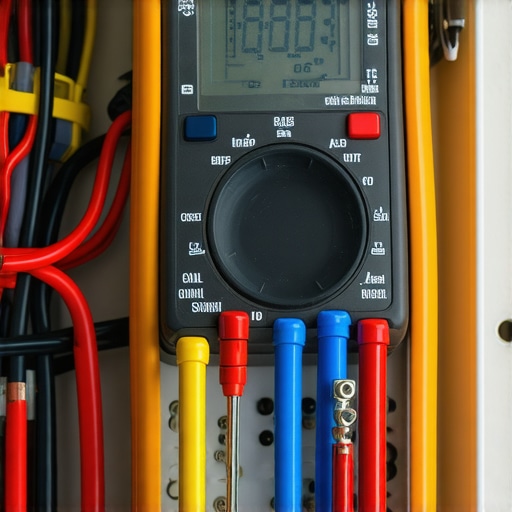
Physical damage or outdated software can halt system operation. I once found a frayed wire during a routine check, which could have led to a fire if left unattended. Use a multimeter to verify voltage levels, and check for any signs of wear. For software issues, ensure your system is running the latest firmware. Follow the manufacturer’s update procedures carefully, as improper updates can brick your system. Regular physical inspections combined with software maintenance extend your V2H system’s lifespan and reliability during outages.
Consult Experts When Unresolved Issues Persist
Some problems require professional intervention. If troubleshooting doesn’t resolve the issue, contact a certified electrician experienced with 2026 standards. They have tools and expertise to perform in-depth diagnostics. I used a trusted electrician for a complex wiring audit, which uncovered hidden code violations that I couldn’t detect myself. Don’t hesitate to seek expert help; it can save you money and ensure your home stays powered safely and reliably during emergencies.
When it comes to vehicle-to-home systems, many homeowners believe that following the basic troubleshooting steps or adhering strictly to code compliance guarantees a smooth operation. However, this mindset often overlooks nuanced issues that can quietly sabotage your entire setup. For instance, many assume that a simple panel upgrade or software update fixes all problems, but in reality, the devil is in the details. One common myth is that novice DIY efforts can bypass professional inspections—this can lead to costly rejections and safety hazards. Research shows that nearly 30% of failed inspections stem from overlooked wiring discrepancies or minor hardware inconsistencies, which only seasoned experts are adept at diagnosing.
A subtle yet critical mistake many make is neglecting to verify system firmware compatibility with the latest standards, especially as the 2026 code updates introduce advanced load management rules. Firmware mismatches might not produce obvious errors but can silently limit power flow or cause intermittent failures. Moreover, homeowners frequently underestimate the importance of comprehensive load calculations before upgrades, leading to panels that look compliant but are actually undersized for modern EV chargers and bidirectional V2H functions.
Make Yourself Visible like a Pro: Use strategic lighting, reflective markers, and consistent firmware updates to prevent communication failures. Remember, even a perfectly installed system can falter if the firmware isn’t aligned with current standards; regularly consult trusted resources—such as detailed guides on [code compliance verifications](https://brightsparkzelectric.com/ensuring-code-compliance-when-installing-ev-chargers)—to avoid hidden pitfalls.
Another trap is rushing the installation without thorough pre-assessment. This oversight often results in overlooked code violations, such as improper grounding or insufficient breaker ratings, which can jeopardize safety and compliance. Ultimately, my experience teaches that meticulous inspection, expert consultation, and continuous education are key to preventing these silent failures. Advanced troubleshooting isn’t just about fixing what’s visible but understanding and addressing these hidden layers.
Have you ever fallen into this trap? Let me know in the comments. For more detailed guidance, check out our [expert tips on panel upgrades](https://brightsparkzelectric.com/upgrading-your-panel-for-better-ev-charging-performance) and avoid costly mistakes before they happen.
Investing in Reliable Tools to Maintain Your Home Power System
Keeping your Vehicle-to-Home (V2H) setup operational requires more than just initial installation expertise. It demands the right tools and practices to troubleshoot, monitor, and perform preventive maintenance effectively. One of my go-to devices is a high-quality digital multimeter, such as the Fluke 117. Its precision allows me to verify voltage levels, check wiring integrity, and identify potential faults before they cause system shutdowns. Regularly testing connections with a multimeter helps prevent issues like overheating or unexpected tripping, especially in high-load scenarios involving EV chargers.
Another indispensable tool is a specialized EV charger diagnostic kit. I personally rely on the expert troubleshooting guide which recommends tools capable of performing comprehensive communication tests, firmware verifications, and fault code retrievals. These kits often include portable diagnostic devices that connect via Bluetooth to mobile apps, providing real-time insights into system performance and logs, making troubleshooting faster and more accurate.
How do I maintain my V2H system over time?
Consistent software updates are critical for maintaining compatibility with the latest standards and security patches. Manufacturers often release firmware upgrades that fix bugs and improve load management—something I check monthly via the manufacturer’s app or web portal. Additionally, installing surge protection—especially for the panel and charger— guards against voltage spikes that can damage sensitive electronics. Upgrading your electrical panel for better performance and compliance ensures your system can handle future load demands without tripping or overheating. For detailed guidance on this process, visit this comprehensive panel upgrade resource.
Furthermore, maintaining physical cleanliness by inspecting for dust, corrosion, or loose connections can prolong hardware lifespan. I carry a set of brushes and compressed air to periodically clear dust from connectors and fans—this helps prevent thermal issues that could shut down your system unexpectedly.
Plan for Future Scalability and Long-Term Stability
As the adoption of EVs accelerates, your home system may need scaling. Installing modular components like additional breakers or upgrading your panel capacity allows effortless expansion. I recommend working with professionals who understand the latest 2026 load management rules and can guide you through compliant upgrades that future-proof your setup. Regularly reviewing your system’s health with a professional ensures sustained performance and safety.
Make Yourself Visible: Tools and Tips for Ongoing Reliability
Finally, keep a detailed maintenance log using a digital notebook or app. Documenting tests, firmware updates, inspections, and upgrades helps identify patterns and schedule future checks. For instance, tracking voltage fluctuations or fault code trends can preempt costly repairs and downtime. As technology advances, expect integrated systems with predictive diagnostics—similar to car maintenance alerts—that will simplify keeping your V2H system dependable. Until then, diligent manual checks combined with the right tools will serve you well.
Ready to enhance your troubleshooting effectiveness? Start by acquiring a reliable multimeter and reviewing your system’s firmware status regularly. Staying proactive saves time and money, ensuring your home remains powered during those critical outages, no matter what the future holds.
Lessons That Caught Me Off Guard
- Chasing perfection can blind you to simple fixes: I spent days troubleshooting firmware issues, only to realize that a loose connector was the real culprit. Sometimes, the smallest detail makes the biggest difference.
- Code compliance is a moving target: What was acceptable last year might not cut it now. Staying updated with the latest standards, like the 2026 energy codes, saved me from costly rework and safety hazards.
- DIY can backfire without expert eyes: While I was confident in my skills, professional inspections unveiled hidden violations that could have compromised safety—and my insurance coverage.
- Firmware updates aren’t optional: Outdated software silently hampered system performance until I learned to prioritize firmware health as part of maintenance routines.
- Listen to the system’s error codes: Those codes are direct messages from your setup. Ignoring them prolongs outages; decoding them swiftly can restore power faster than expected.
Tools and Resources That Truly Made a Difference
- Reliable multimeter: The Fluke 117 became my go-to for verifying voltage and current integrity, preventing potential disasters before they happened.
- Professional wiring guides: Trusted resources like expert troubleshooting guides helped me understand complex scenarios beyond basic troubleshooting.
- Firmware update portals: Regularly checking manufacturer sites and using dedicated update tools kept my system aligned with the latest standards, avoiding silent malfunctions.
- Inspection checklists: Step-by-step compliance checklists simplified complex code requirements, ensuring safe and lawful installation at every stage.
Your Next Step Toward Confidence and Power Security
If you’re ready to move beyond simple installations toward truly reliable and compliant V2H systems, remember that continuous learning and proactive maintenance are your best allies. Embrace the process, leverage trusted resources, and don’t hesitate to consult professionals when needed. Your home’s power resilience depends on it, and with these insights, you’re well on your way to mastering your 2026 setup and ensuring peace of mind during outages.
What specific challenge have you faced in configuring your V2H system? Share your experience below and let’s learn together!